Free demo
Run a festival stage tonight.
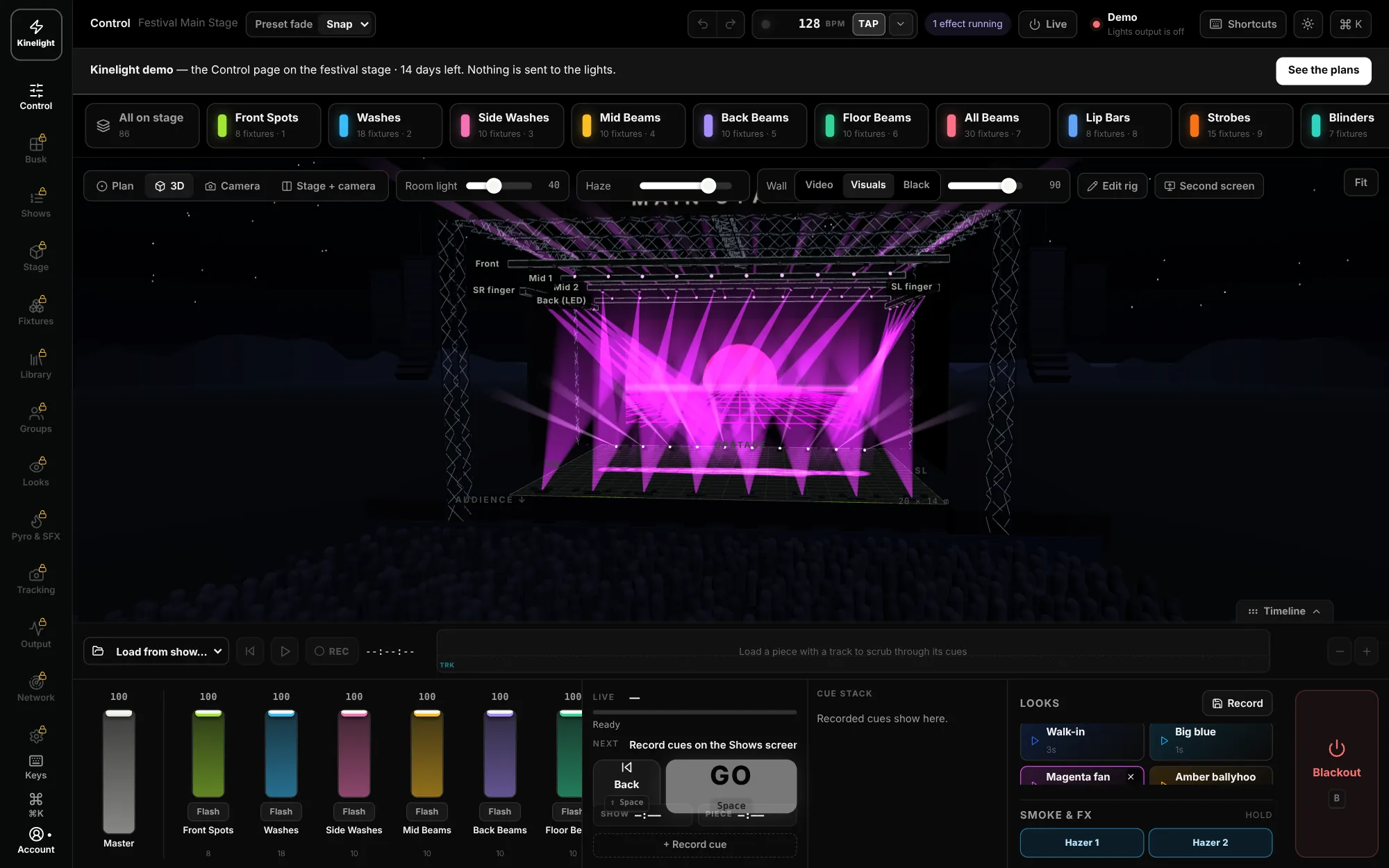
Try Kinelight free for 14 days: the Control page on a 20 m outdoor main stage — 104 lights, a 16 m LED wall, pyro and ready-made looks — in 3D on your Mac. Fire looks, ride the faders, press GO.
No card needed. Already have an account? Sign in.
In the demo
The Control page, the way you’d run a show.
- The Control page — Group tiles, faders, looks, GO, the cue stack and the stage in plan and 3D
- The festival demo stage — A 20 m outdoor main stage: 104 lights, an LED wall, pyro and ready-made looks
Not in the demo: your own rig or light output, and the Kinelight Pro extras. Want to try them on your own lights? Start a free 14-day trial of Pro from the Pricing page.
- 1
Start your demo
Make an account (or sign in) and press Start my free demo. No card.
- 2
Download Kinelight
The download is on your Subscriptions page. Mac with Apple silicon, macOS 12 or later.
- 3
Sign in from the app
Open Kinelight and press Sign in — the festival stage is ready on the Control page.
Ready for your own rig?
Kinelight £199/month · Kinelight Pro £399/month · Kinelight Venue POA. Every plan includes a main Mac and a backup Mac — or try Pro free for 14 days.